
Every open RFQ gets a decision: quote, decline or ask.
Bid Desk is for suppliers who receive RFQs through SAP Ariba. It signs in on your behalf, reads every open event, and drafts the quote, declines, or hands the event to a person. Your tracker and mailbox are kept in step with what it decides.
It reads the manufacturer named on each event and checks it against your approved brands.
-
01Draft
The brand is on your approved list, or is a spelling variant seen before. The quote is drafted automatically. An event naming several manufacturers is drafted as soon as one of them is approved.
-
02Decline
The brand is not on your approved list. The RFQ is declined in SAP Ariba, with a stated reason.
-
03Ask
The name is unclear. Nothing is clicked, and the event goes to the Ask queue for a person to answer once. The answer is remembered for next time.
-
04Record
Every decision is recorded. A later run acts only on events it has not seen, or on answers given since.
It completes the response and stops before submit.
Bid Desk works through the SAP Ariba response wizard for you, and stops where a person would want to check the numbers before the response is submitted.
See what it did, and run it when you want.
A web dashboard shows every event the bot read, the manufacturer it found and the decision it reached, with the reason in plain language.
- Run controls per account: a full run, a setup check that changes nothing, a status check or a mail check
- A live step log while a run is in progress
- Ask queue, quote pipeline, decline log and decision log
- Manual offer upload, for an offer that arrives outside the mailbox
- Run history and credentials per account, with several accounts side by side
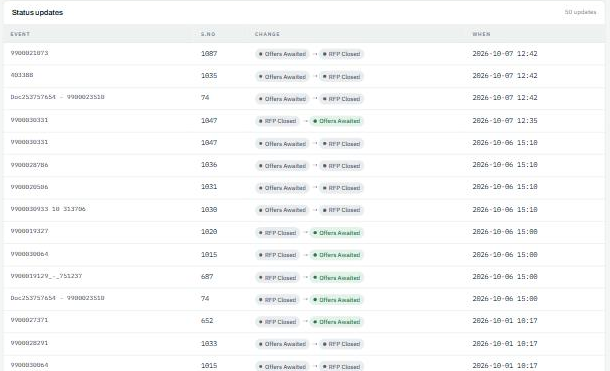
Your RFQ history, kept up to date by the bot.
Replies on each RFP thread are read in the order they arrive.
Bid Desk watches your Gmail inbox for replies on every RFP thread it has drafted.
Nothing irreversible is clicked twice.
Ask for a demo and we will run Bid Desk on a set of open RFQs and show you the decision it reached on each.