Advantrix Consulting
Products  /  TaskWalk  /  SourceIQ

Sourcing from requisition to award, in one workspace.

SourceIQ starts from the purchase requisitions in your SAP system. It runs RFQs, auctions and negotiations, compares bids item by item and routes the award for approval.
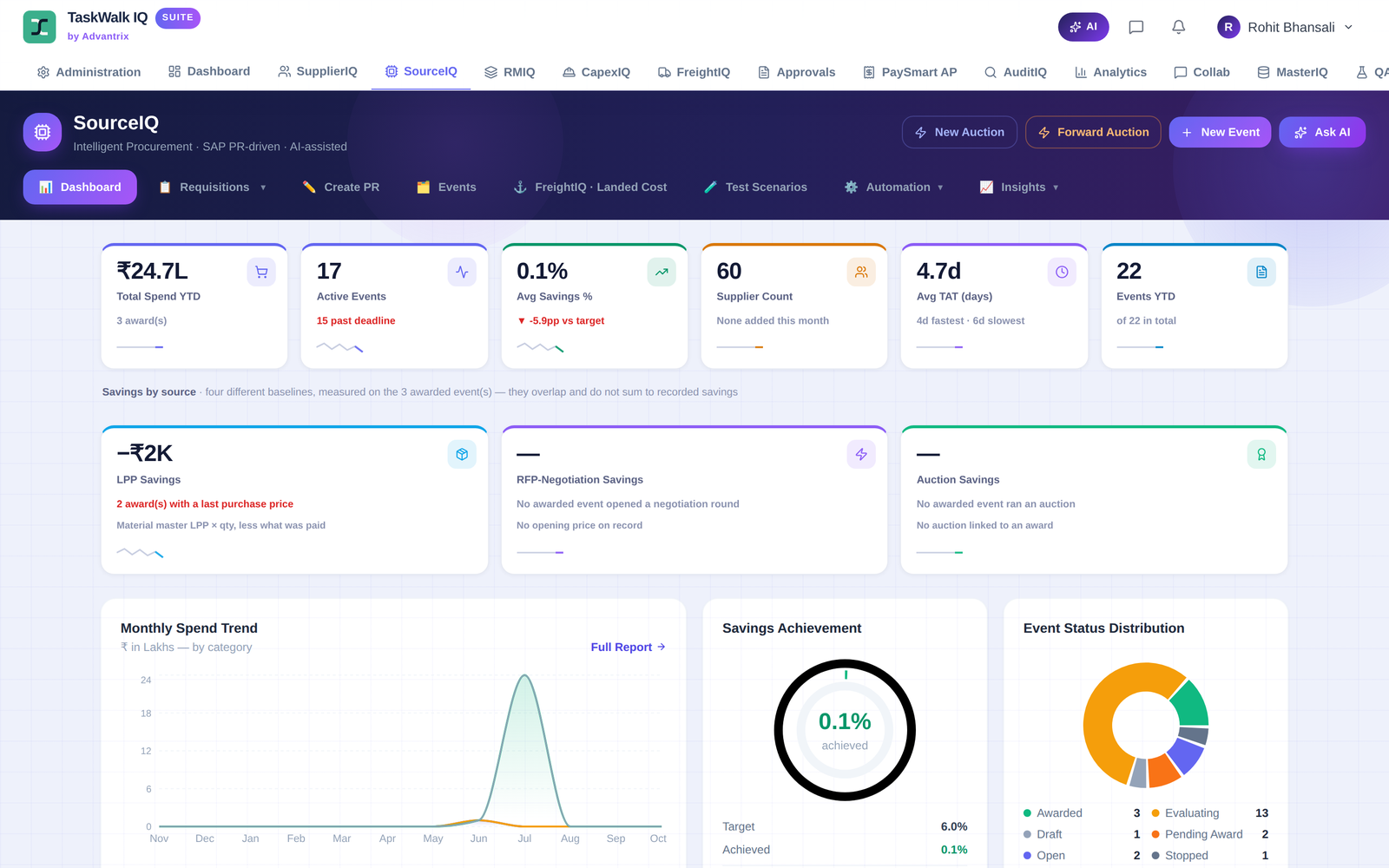
The SourceIQ dashboard, showing total spend, active events, savings, supplier count, turnaround time, a monthly spend trend and event status
How an event runs

One workspace carries the event through five stages.

  1. 01
    Setup

    Start from a purchase requisition or a ready-made template.

  2. 02
    Bidding

    Suppliers bid, and bids open in single-envelope or two-envelope mode.

  3. 03
    Evaluate

    Technical evaluation, landed cost and an item-wise comparative statement.

  4. 04
    Negotiate

    Negotiation rounds, a reverse or forward auction, or a re-float of the RFQ.

  5. 05
    Award

    A multi-step award workflow, with named approvers and SLAs.

Create

Publish an RFQ in five steps.

A guided wizard takes the buyer through template, terms, line items and suppliers, then shows everything on one review screen before a single click publishes the event.

  • Ready-made templates: Standard MRO, High Value CAPEX, Services and AMC
  • Suppliers are notified by email when the event is published
  • The event workflow starts automatically and bids are collected until the deadline
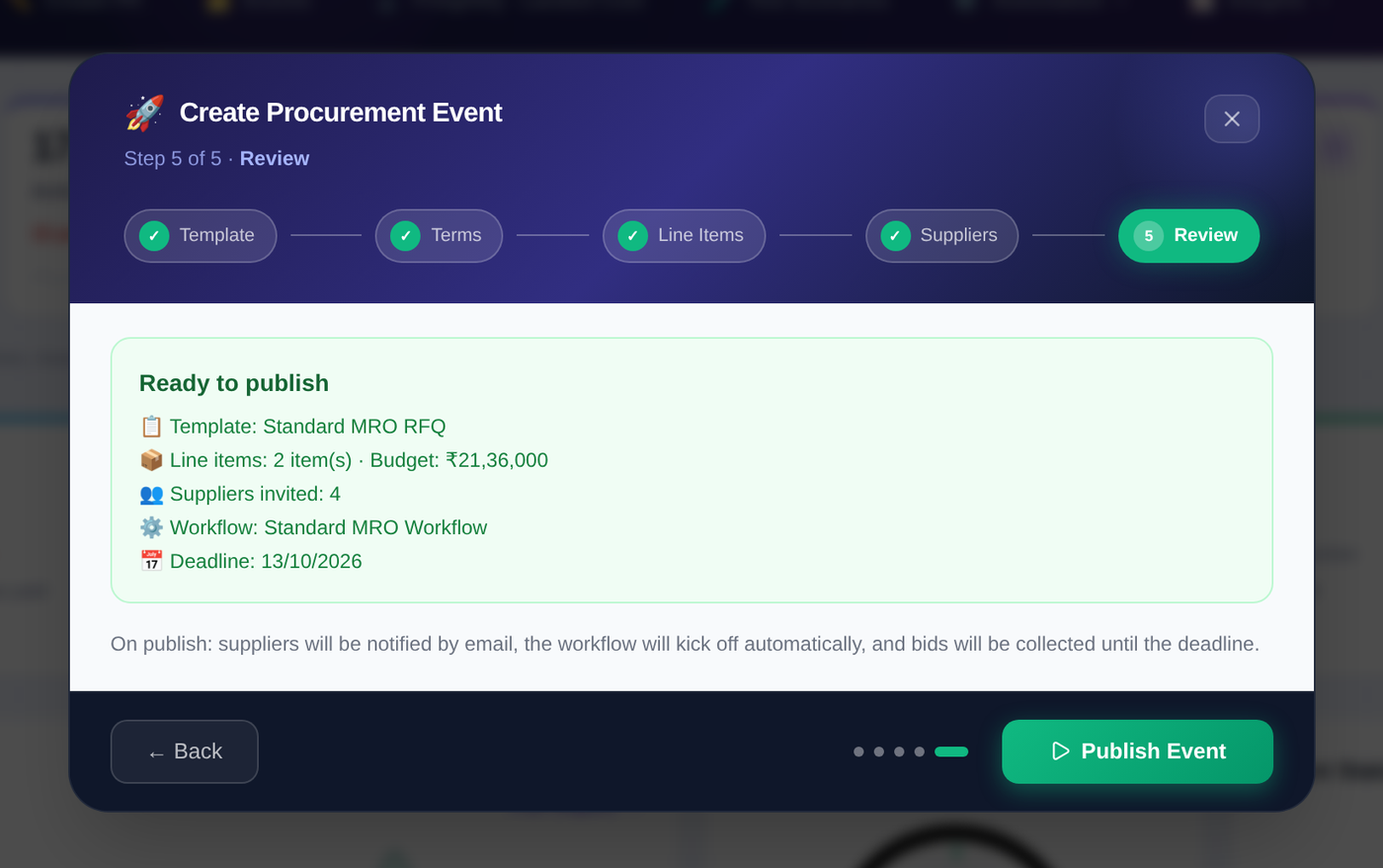
The Create Procurement Event wizard on its fifth step, Review, listing the template, line items, budget, suppliers invited, workflow and deadline, with a Publish Event button
Compare

Every bid, item by item.

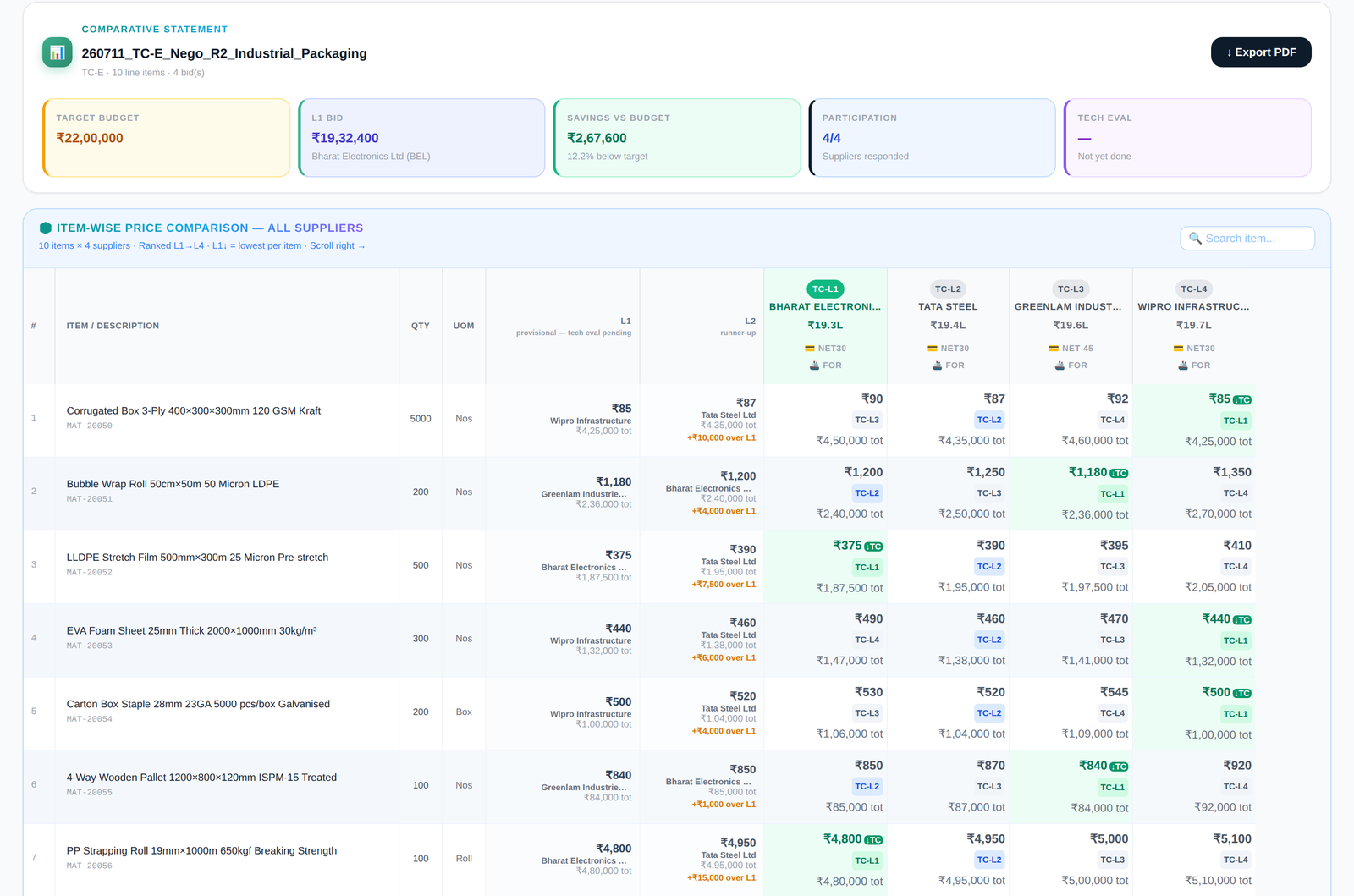
The comparative statement ranks suppliers from L1 to L4 on each line, shows the lowest price per item and sets the result against the target budget.

  • Landed cost for import against domestic supply
  • Technical evaluation, with prices hidden from the evaluator
  • Export to PDF and submit for approval
A comparative statement in SourceIQ, with target budget, L1 bid, savings and participation at the top and an item-wise price comparison of four suppliers below
AI command bar

Type what you want done.

Every event workspace has a command bar. The buyer writes an instruction in plain words and SourceIQ carries it out on that event. Ask AI sits on the dashboard.

add a supplier
extend bid time
send reminder
Everything in SourceIQ

The full list.

Dashboard
Spend, savings, cycle time and spend trend.
Requisitions and events
Create PRs and follow each event from Draft to Open, Evaluating and Awarded.
RFQ wizard and templates
Five steps, with templates for MRO, high-value CAPEX, and services and AMC.
Auctions
Reverse and forward auctions.
Negotiation and re-float
Negotiation rounds, and a re-float of the RFQ when it is needed.
Bid opening
Single-envelope or two-envelope mode.
Comparative statement
Item-wise, ranked L1 to L4, with PDF export and submission for approval.
Landed cost
Import against domestic supply, on the same basis.
Technical evaluation
Evaluators score bids without seeing prices.
Award workflow
Multi-step, with approvers and SLAs.
AI command bar and Ask AI
Plain-word instructions on any event.
Event records
Supplier discovery, drawings and attachments, team, bid history and audit trail.
Watch it in action

A walkthrough of SourceIQ.

A screen recording of the module, one feature at a time.

3 min 28 s  ·  No sound

Part of TaskWalk

SourceIQ shares its data with the other modules.

SupplierIQ Vendor onboarding and compliance. FreightIQ Freight and logistics, including landed cost. CapexIQ CAPEX and project procurement, with NFA and CS. AuditIQ Forensic audit, scanning sourcing events live.
See it running

Ask for a demo and we will walk you through a live sourcing event in SourceIQ.

Request a demo