
Advantrix Consulting
Products  /  BTP applications  /  Approver audit summary

Every approver's decision, comment and timestamp, in one audit-ready PDF.

Enter one or more SAP Ariba approval task IDs. The application collects the approval flow and the comment trail for each task and puts them into a single consolidated record.
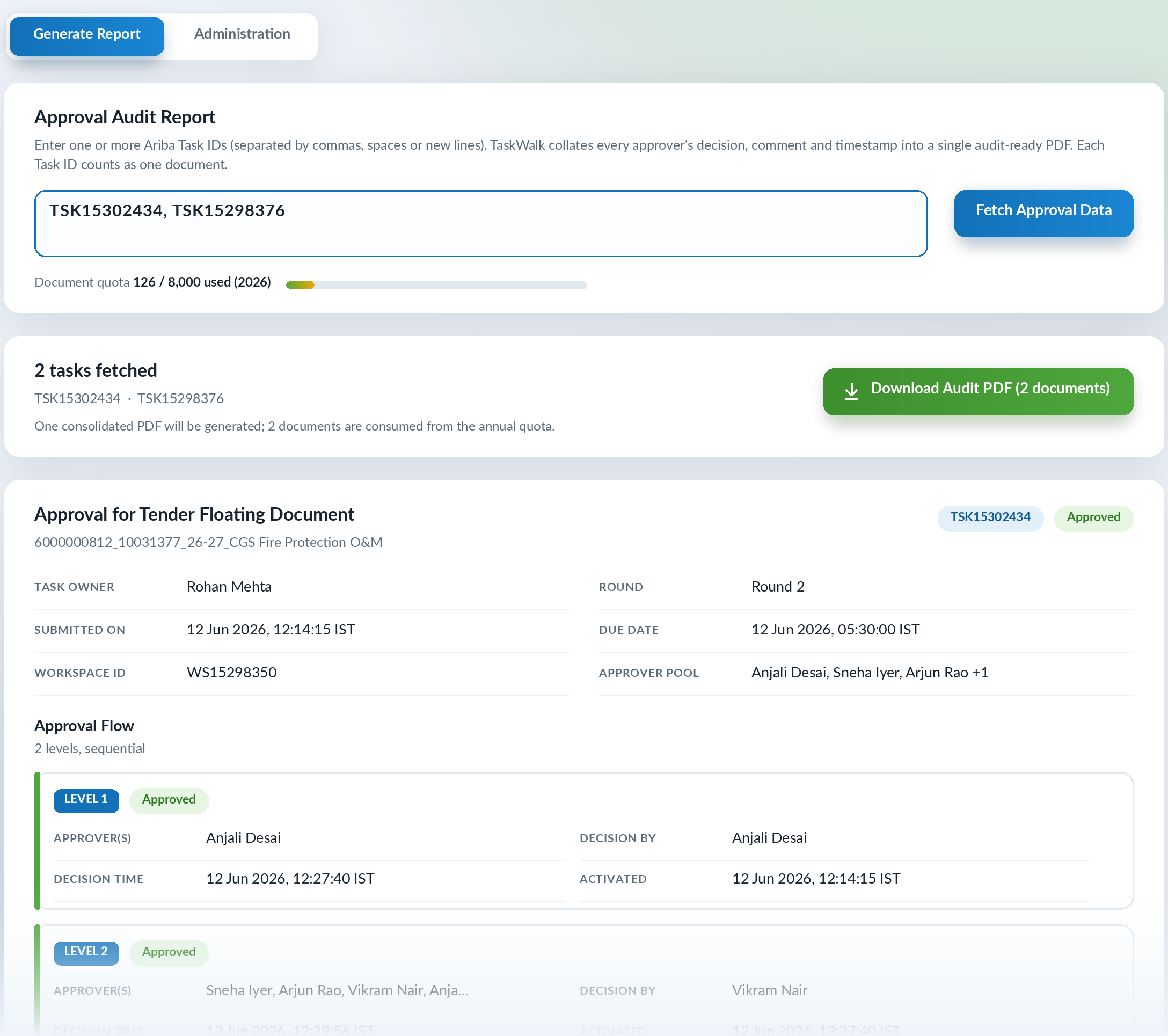
The generate report screen. Two task IDs have been entered and fetched, with a button to download the audit PDF. Below, the first task is shown with its owner, round, submitted and due dates, and an approval flow of two sequential levels, each with approver, decision by, decision time and activation time
How it runs

From task IDs to a record ready for audit.

  1. 01
    Enter

    Type or paste one or more approval task IDs, separated by commas, spaces or new lines.

  2. 02
    Fetch

    The approval data for each task is fetched from SAP Ariba.

  3. 03
    Review

    Each task appears on screen with its summary and approval flow, level by level.

  4. 04
    Download

    One consolidated PDF is generated for all the tasks entered.

In the record

Three sections for every task.

Comments are filtered to the task and round being audited, so remarks from other rounds do not get mixed in.

Task summary
Approval flow, level by level
Comment trail, in order
The audit PDF

A record an auditor can read without opening SAP Ariba.

For each task it shows who had to approve, who decided, when the step was activated and when the decision was made, followed by every comment with its user, timestamp and round.
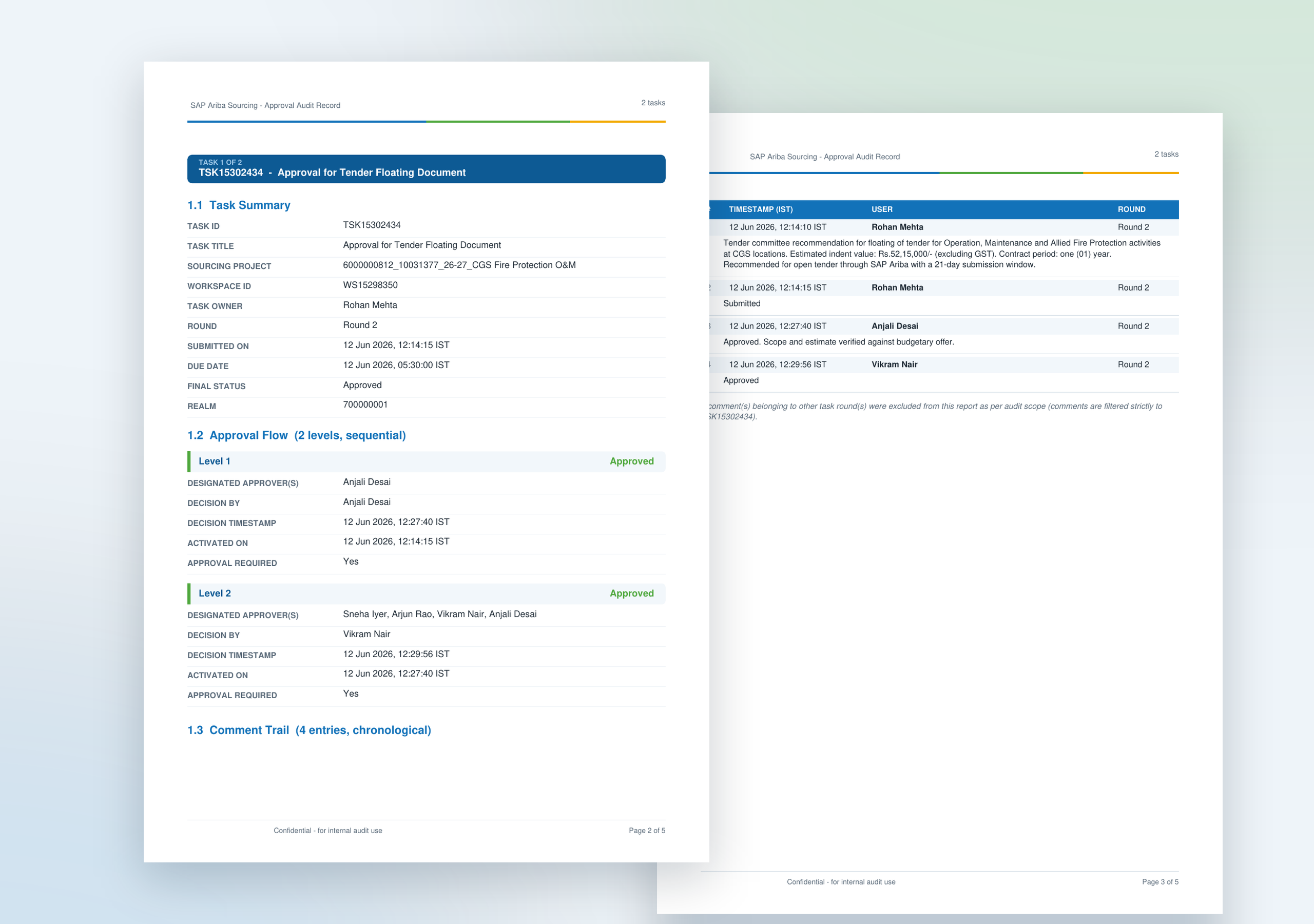
Two pages of the audit PDF. The first has the task summary and a two-level approval flow with designated approvers, decision by, decision timestamp and activation time. The second has the comment trail, with timestamp, user and round for each entry
Everything in the application

The full list.

Several tasks at once
Any number of task IDs go into one consolidated PDF.
Task summary
Title, sourcing project, workspace, owner, round, submitted and due dates, and final status.
Approval flow
Each level with its designated approvers, who decided, and the decision and activation times.
Comment trail
Every comment in order, with user, timestamp and round.
Round filter
Comments from other rounds of the task are left out, and the record says so.
SAP Ariba connection
Connection settings held in the application, with a connection test.
Users and roles
Administrators add users, reset passwords and set each user as administrator or buyer.
BTP applications

More applications for SAP Ariba sourcing.

CS and NFA application The comparative statement and note for approval, from the sourcing event. Pre-bid chat for PSUs The pre-bid meeting held as a live chat, with a transcript at the end. Audit Automation Pre-audit checks and continuous control monitoring across procure to pay.
See it running

Ask for a demo and we will produce the audit record for an approval task while you watch.

Request a demo