
Advantrix Consulting
Products  /  BTP applications  /  EMD management

Earnest money deposits, tracked from the tender to the refund.

The EMD Management Application collects deposit data from SAP Ariba sourcing events, takes each return through internal approvals, shows where every deposit stands and tells the supplier when the money has been returned.
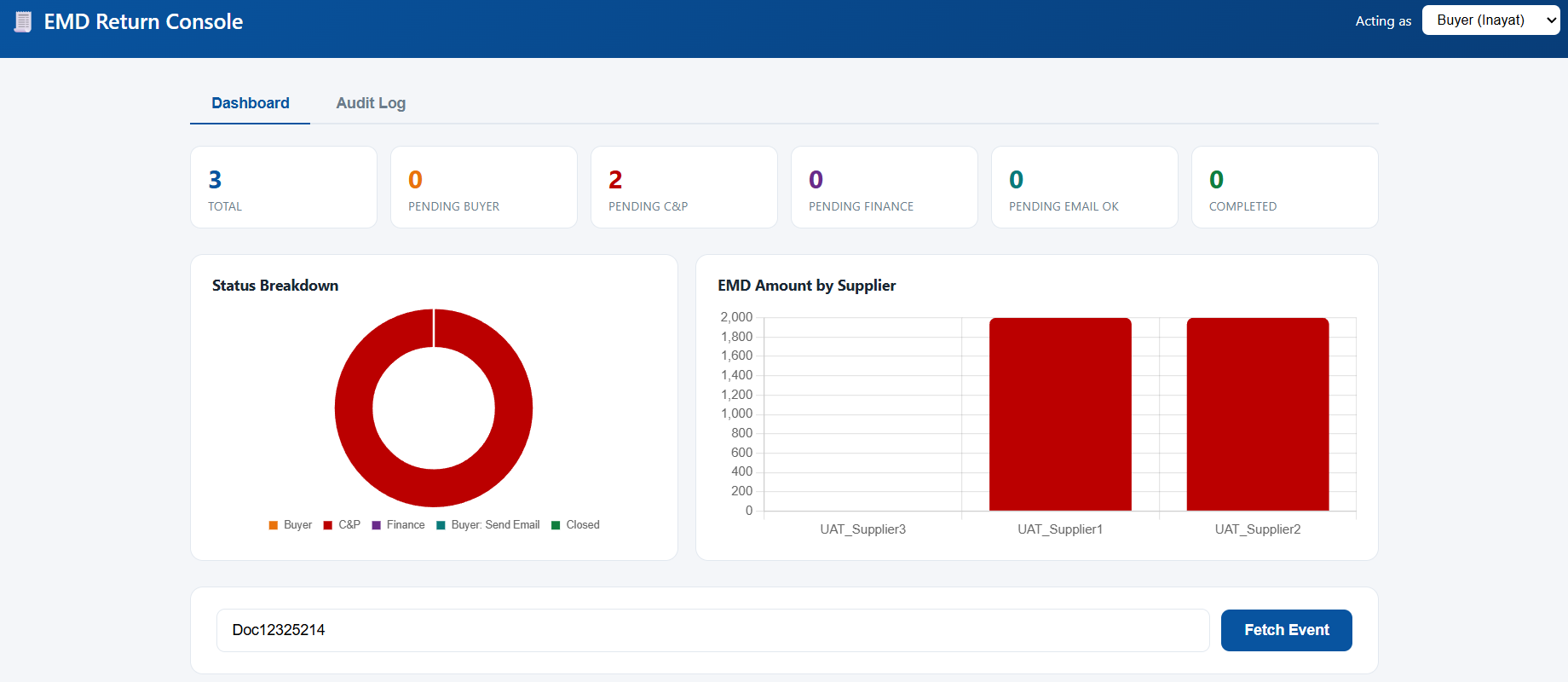
The EMD Return Console dashboard: counts of returns in total and pending with the buyer, C&P, finance and email approval, a status breakdown chart, a chart of EMD amount by supplier, and a field to fetch an event by Doc ID
How it runs

Five steps from the sourcing event to a closed return.

  1. 01
    Fetch

    Enter the Doc ID. The event and its suppliers are brought in.

  2. 02
    Buyer

    Sets the EMD amount and approves the return.

  3. 03
    C&P

    Reviews and approves it for finance.

  4. 04
    Finance

    Makes the bank transfer and records the bank reference.

  5. 05
    Confirm

    The buyer approves the email, the supplier is told and the return is closed.

The return workflow

Each step waits for the right person.

The stepper shows where the return has reached. Every supplier on the event carries its own status, and a supplier with no deposit is marked not applicable.
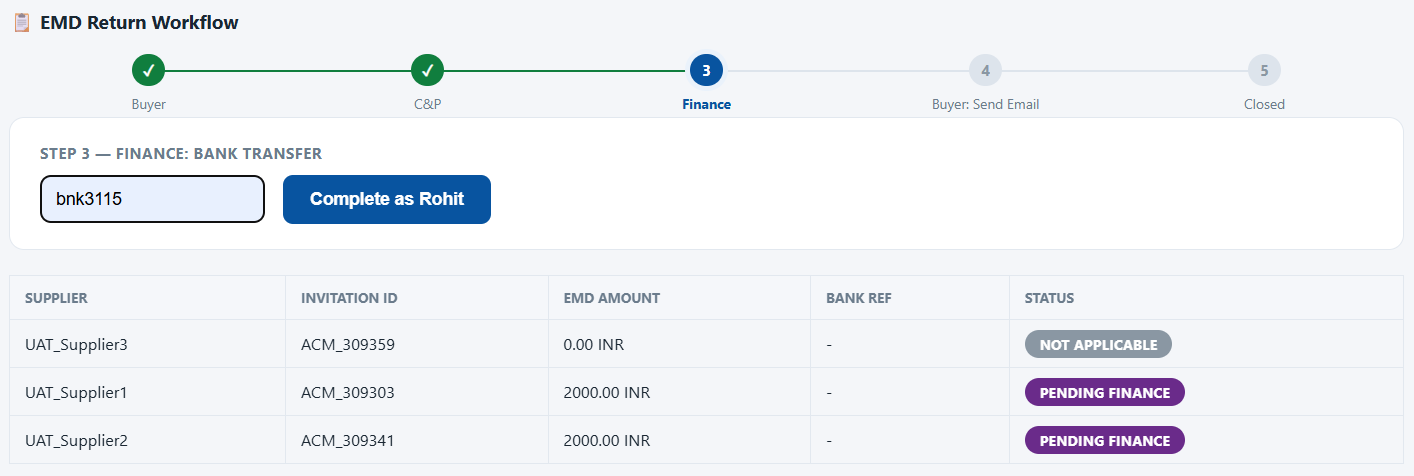
The EMD return workflow at step 3 of 5. Buyer and C&P are complete, finance enters a bank reference, and a table lists each supplier with invitation ID, EMD amount, bank reference and a status of pending finance or not applicable
Current status

Where every deposit stands, at a glance.

The dashboard counts the returns at each stage and shows the deposit amount by supplier.

Pending buyer
Pending C&P
Pending finance
Pending email approval
Completed
Audit log

Who approved what, and when.

Each supplier's return has its own timeline: every approval, the bank reference and the confirmation email, with date and time.
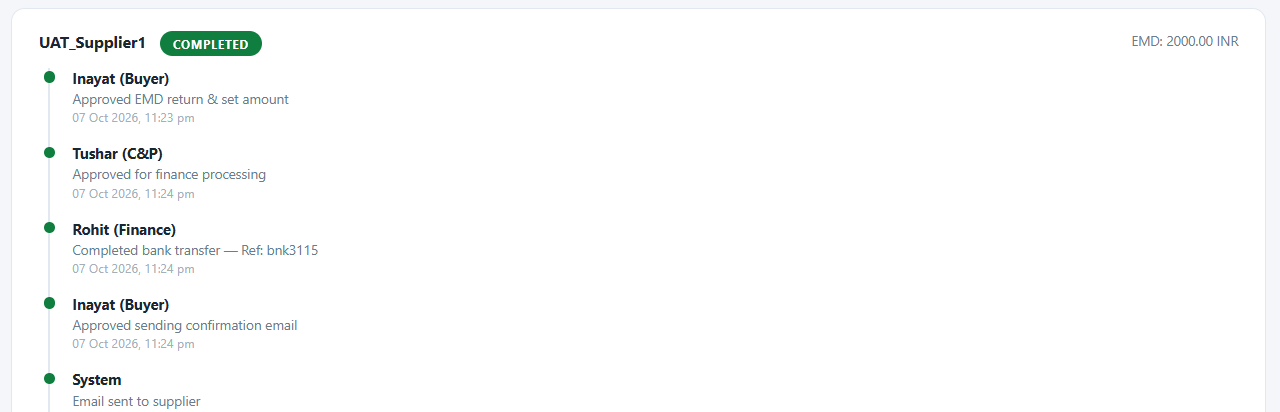
The audit log for one supplier, marked completed: the buyer approved the return and set the amount, C&P approved for finance processing, finance completed the bank transfer with a reference, the buyer approved the confirmation email and the system sent it, each with a timestamp
The supplier is told

A confirmation email when the refund is made.

Once finance has recorded the bank transfer, the buyer approves the confirmation. The application then emails the supplier the amount and the bank reference, and closes the return.
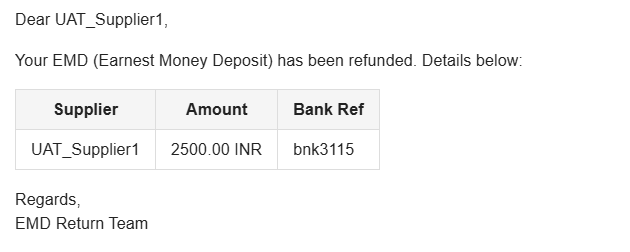
The refund confirmation email: Dear supplier, your EMD has been refunded, with a table of supplier, amount and bank reference, signed EMD Return Team
The email a supplier receives, from a test event.
Everything in the application

The full list.

Event data
The event and its suppliers are fetched by Doc ID.
EMD amount
Set once by the buyer, for all the suppliers on the event.
Internal approvals
Buyer, C&P and finance, in that order.
Bank reference
Recorded by finance when the transfer is made.
Status by supplier
From pending buyer to completed, or not applicable.
Dashboard
Counts by stage, a status breakdown and amount by supplier.
Audit log
A timeline of every action on every return.
Supplier email
A refund confirmation with amount and bank reference.
BTP applications

More applications for SAP Ariba sourcing.

CS and NFA application The comparative statement and note for approval, from the sourcing event. Pre-bid chat for PSUs The pre-bid meeting held as a live chat, with a transcript at the end. Approver audit summary Every approver on a task, with timestamps and comments.
See it running

Ask for a demo and we will take a deposit from the sourcing event to the supplier's refund email.

Request a demo